
Android 14 Unknown Sources Setup for Casino Apps
Configure per-browser Install Unknown Apps permissions on Android 12, 13, and 14 devices and safely revoke access right after installation.
Android 14 tightened sideload permissions significantly compared to older Android releases, adding extra confirmation prompts and restricted-settings locks. Filipino players upgrading to new Samsung, Xiaomi, Oppo, and Pixel devices often think their phone blocked casino apps permanently. Here is the clean Android 14 permission walkthrough.
Handling allow unknown sources casino apk properly starts with calm pre-checks rather than rushing mid-session. Work through the specifications, worked math, and fixes mapped out here.
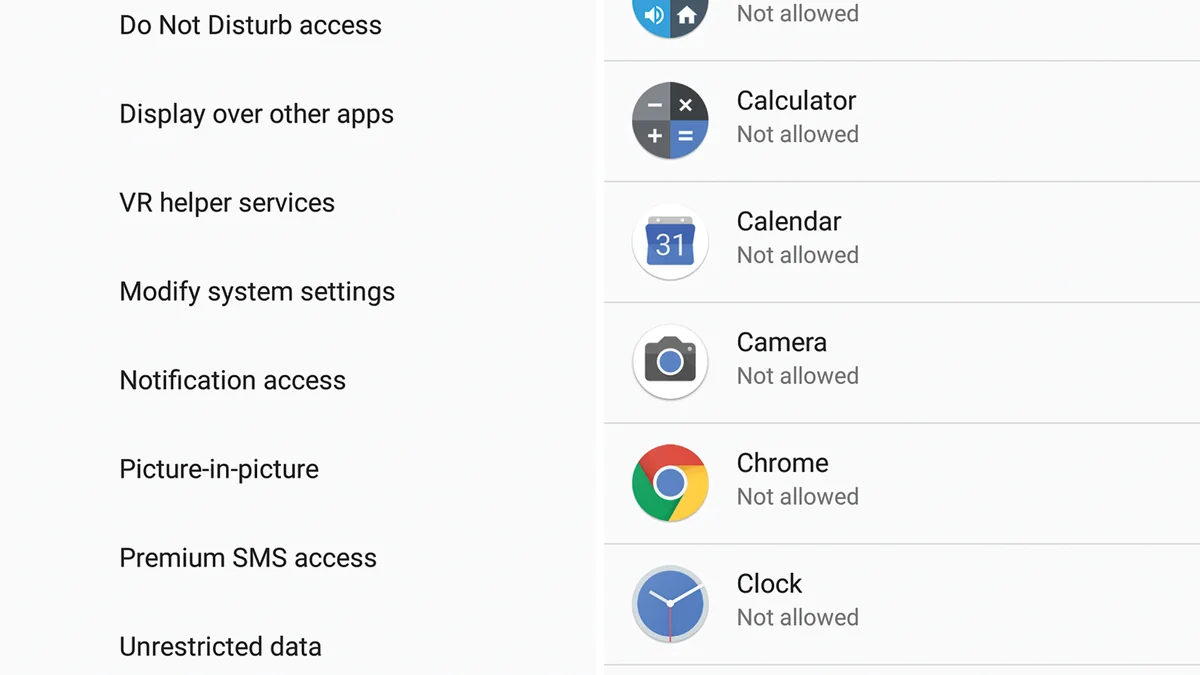
How Android 14 Changed Sideloading Security Rules
Google engineered Android 14 to shield users from silent malware installs triggered via malicious ads or chat links. Rather than granting a blanket system setting, Android forces you to name the exact app—typically Google Chrome or My Files—authorized to launch an APK.
If you downloaded an APK through Facebook Messenger or Telegram, Android prompts you to grant sideload permission to Messenger or Telegram. Avoid doing that; instead, copy the official URL into Chrome, download inside Chrome, and only grant temporary permission to Chrome.
Brand-by-Brand Android 14 Permission Paths (Samsung, Xiaomi, Oppo)
After installation finishes, Android 14 preserves your installed app normally even when you flip Chrome's Unknown Apps switch back to Not Allowed. Players can verify primary rules directly via official PAGCOR regulatory documentation prior to transacting.
| Phone Brand / UI | Exact Android 14 Menu Path | Post-Install Hygiene Step |
|---|---|---|
| Samsung Galaxy (One UI 6+) | Settings > Security & Privacy > Install Unknown Apps | Turn Chrome toggle OFF after setup |
| Xiaomi / Poco / Redmi (HyperOS) | Settings > Privacy Protection > Special Permissions > Install Unknown Apps | Dismiss 10-second warning countdown; turn OFF after |
| Oppo / Realme (ColorOS 14) | Settings > Security & Privacy > More Security > Installation Sources | Toggle Chrome OFF right after first login |
| Vivo / iQOO (Funtouch OS 14) | Settings > Apps > Special App Access > Install Unknown Apps | Verify battery whitelist if needed; turn Chrome OFF |
| Google Pixel / Stock Android 14 | Settings > Apps > Special App Access > Install Unknown Apps | Toggle Chrome OFF; keep Play Protect active |
Step-by-Step Unknown Sources Toggle Walkthrough
Follow these five ordered actions carefully whenever working through allow unknown sources casino apk on Android or iOS:
Download Exclusively Through Chrome
Open the official operator link in Google Chrome rather than inside Messenger or TikTok browsers.
Tap the Completed APK in Chrome Downloads
Select the finished .apk file; Android 14 presents a direct Settings button for Chrome permissions.
Toggle 'Allow From This Source' Temporarily
Flip the switch ON for Chrome only, then tap Back once to return directly to Package Installer.
Complete Installation and Verify Launch
Tap Install, wait for Play Protect scanning to finish, and confirm the lobby opens and prompts login.
Return and Disable Chrome Permission
Open Settings > Apps > Chrome > Install Unknown Apps and toggle it back to Not Allowed immediately.
Comparing Android 14 Restricted Settings vs Standard Prompts
Security Attack Surface Reduction: Temporary vs Permanent Toggle
Granting Install Unknown Apps only during a 90-second install window exposes your browser for roughly 0.002% of a week, whereas leaving the toggle enabled 24/7 leaves an open sideload bridge across 10,080 minutes every week. Turning the permission back off cuts drive-by install risk dramatically at zero convenience cost.
Consistent preparation around allow unknown sources casino apk helps 21+ players avoid unnecessary customer-support tickets and keeps every peso transfer traceable. Reference official rules via official GCash mobile security documentation whenever edge questions arise.
Re-Securing Android 14 After Your Casino App Installs
Even reliable setups hit occasional network hiccups or validation alerts. Check these targeted fixes before retrying transactions:
- Toggle Greyed Out in Android 14: Check whether Family Link parental controls, work MDM profiles, or Samsung Auto Blocker (One UI 6 Security > Auto Blocker) is currently enabled.
- Xiaomi 10-Second Countdown Stalls: Wait the full ten seconds until the OK box illuminates in Xiaomi HyperOS before tapping Accept.
- Missing 'Restricted Settings' Access: Standard casino APKs should never ask for Restricted Accessibility Settings; abort if an APK asks for that permission.
Related Philippine walkthroughs in this cluster
Explore related resources inside APK Downloads & Mobile Setup and companion Philippine hubs:
- Huawei HarmonyOS Casino APK Install Walkthrough (huawei casino app download)
- Enable Biometric Fingerprint & Face ID Casino Login (casino app login mobile)
- Offline Practice Slots vs Real PHP Casino Apps (casino offline vs online app)
- Real Money Casino Apps PH: Verified PHP Payouts (real money casino app)
- Android Casino APK Sideload Walkthrough
- GCash Instant Deposit & Withdrawal Guide
- Philippine 21+ Responsible Gaming Charter
Responsible gaming rules and 21+ safeguards in the Philippines
Under Philippine statutes enforced by PAGCOR, participation on mobile casino apps is strictly restricted to individuals aged 21 years old and older. Setting deposit ceilings before opening any game keeps limits strategic rather than reactive. If you ever need an immediate pause, formal self-exclusion takes effect within 24 hours and applies across all access points including mobile app logins. Confidential support is available through the National Council on Problem Gambling Philippines, Gamblers Anonymous Philippines, and the PAGCOR Responsible Gaming Helpline at (02) 8521-1551.
Key takeaways before launching your next session
Following a clear step-by-step routine around allow unknown sources casino apk removes common delays across Philippine mobile networks and e-wallet gateways. Small upfront checks protect both device safety and fast cashouts.
Ready to test a verified mobile lobby once you finish reading? Invite your friends to register and play and get a chance to earn bonuses of up to ₱50,000.00 through official onboarding links, and check seasonal mission tabs to Get a chance to win up to ₱100,000.00 plus unlock exclusive Mystery Chests while staying inside your pre-set budget.
Frequently Asked Questions: Android 14 Unknown Sources Setup for Casino Apps
Does turning off Unknown Apps delete my installed casino app?
No. Disabling Install Unknown Apps only blocks future installations from that browser; your existing casino app keeps running.
Why is Samsung blocking APK installs even after enabling Chrome?
Samsung One UI 6 introduced Auto Blocker under Security and Privacy, which blocks all sideloads until temporarily paused.
Can Android 14 block outdated casino APKs?
Yes. Android 14 blocks apps built for very old Android target SDKs. Always pull the latest 2026 release from the official operator mirror.
Is Play Protect safe to leave enabled on Android 14?
Yes. Keep Google Play Protect enabled so it checks every APK against known malware signatures automatically.
Do I need developer options enabled to sideload an APK?
No. You never need Developer Options or USB Debugging to install a legitimate Android casino APK.